AI Paradigm Shift Ep.3: From Copy-Paste to Commit — How Skills Replaced My Prompt Library
The evolution from copying into ChatGPT to skills committed in your codebase — and why the interface, not the intelligence, was the bottleneck all along.

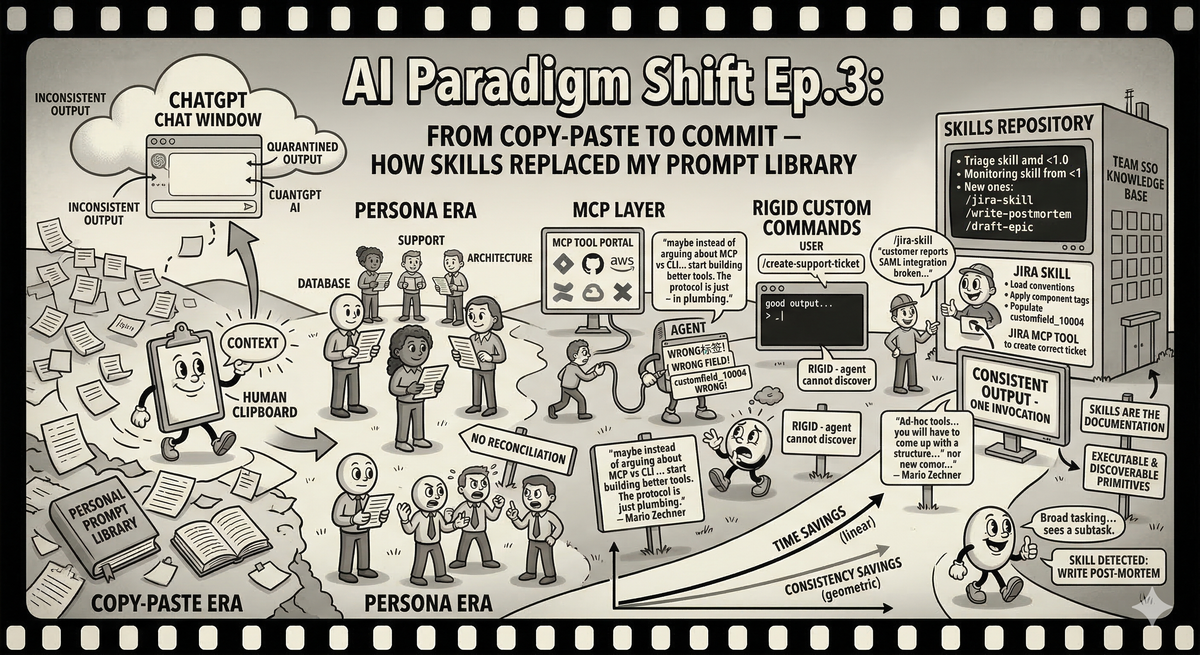
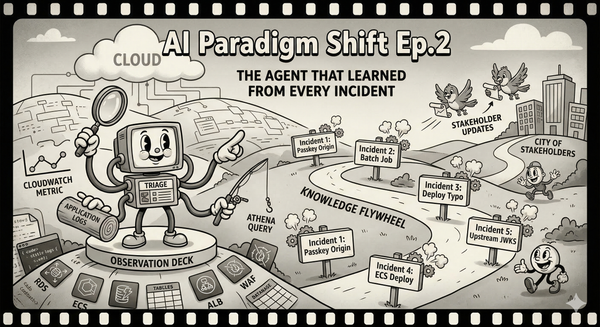
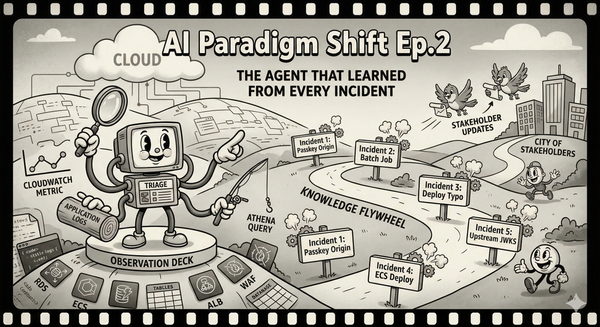
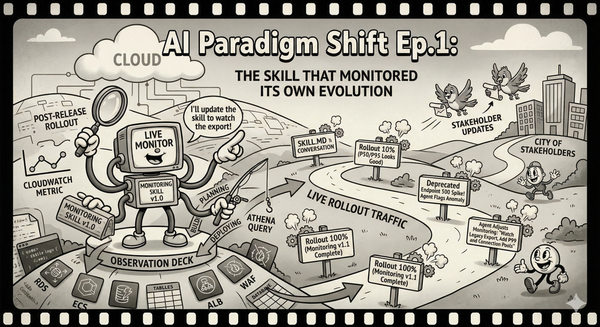
The previous two episodes in this series were about specific tools — a monitoring skill, a triage agent. But if I am honest, those were endpoints in a longer journey that started the same way it started for everyone: copying text into a chat window and hoping the output was useful.
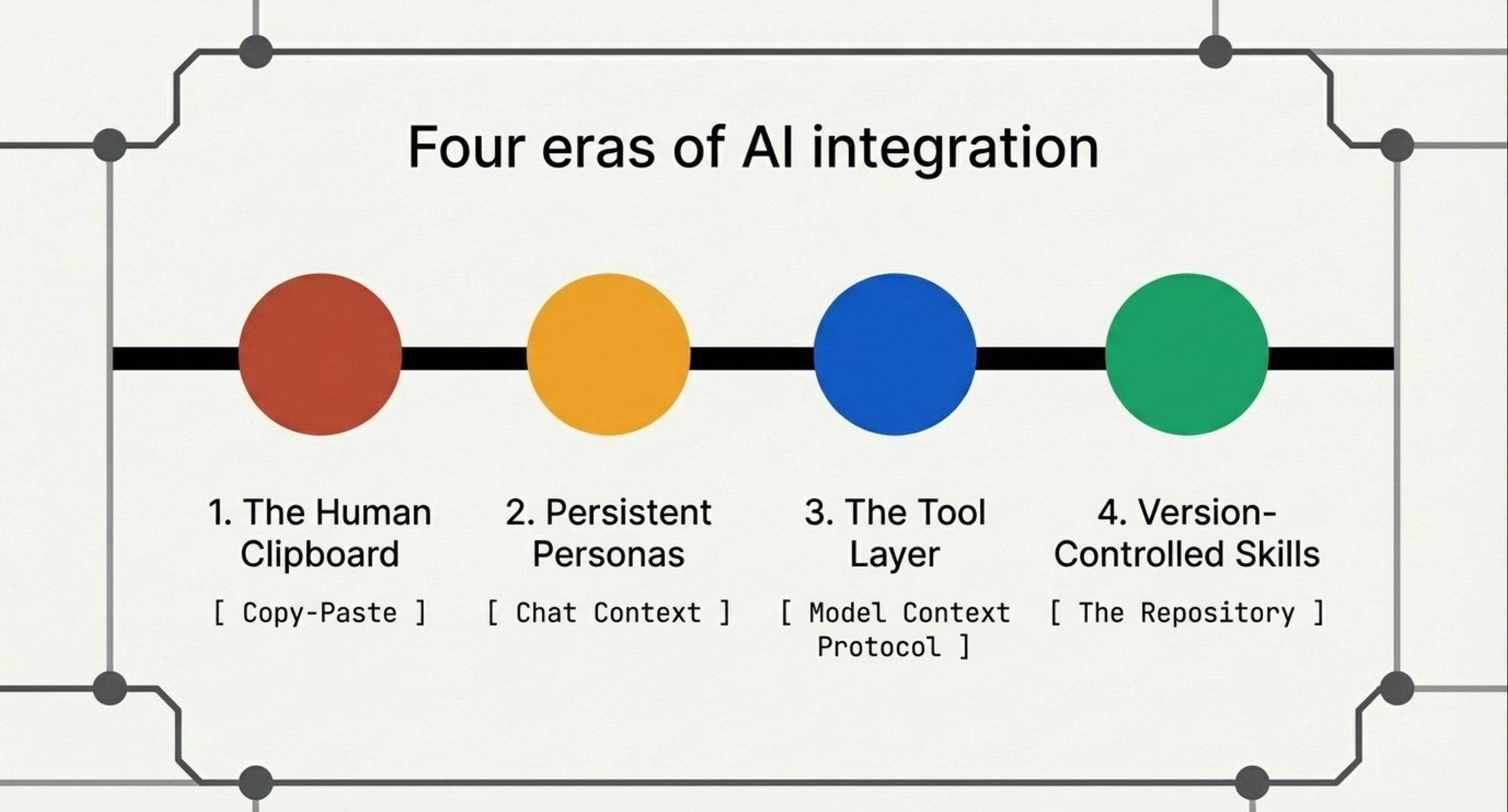
This episode is about the journey itself. How the interface between me and AI changed four times in two years, and why each change mattered more than any improvement in the models.
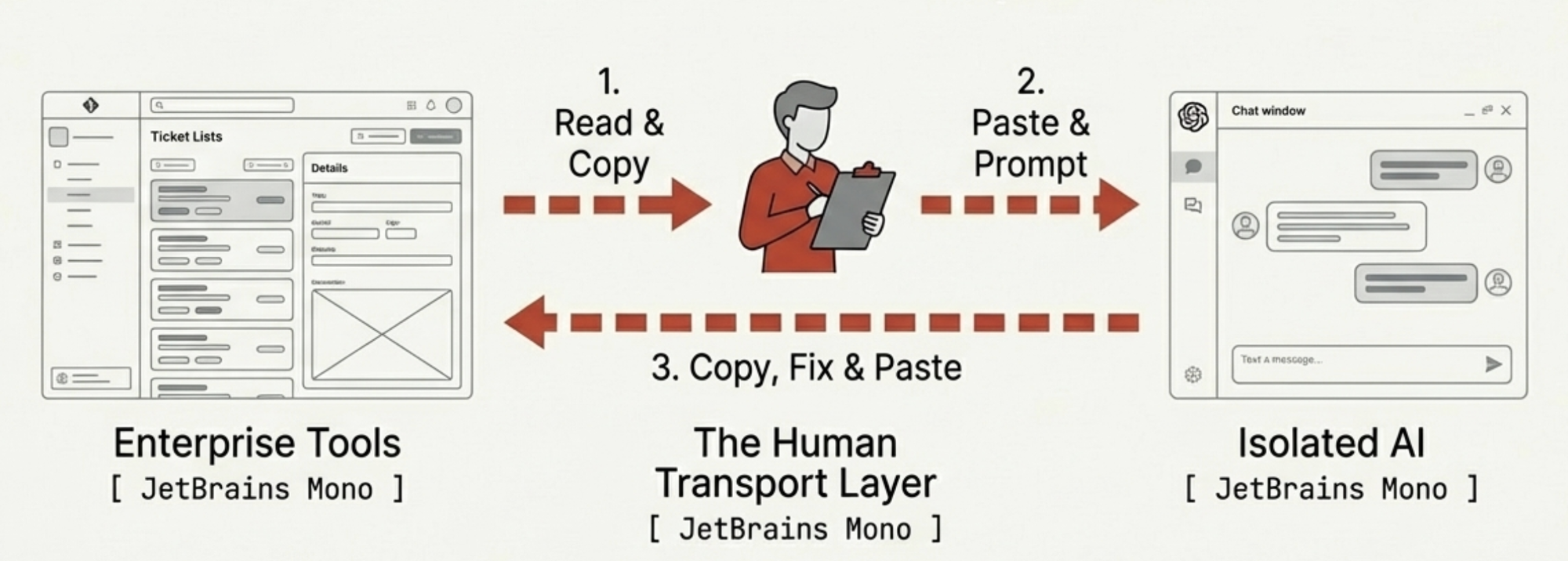
The Human Clipboard
Late 2022, early 2023. ChatGPT exists. I remember attending a conference in New York around that time where a speaker asked the room if anyone had used a good chatbot. Two hands went up out of five hundred people. But ChatGPT was not like any chatbot I had met — it was not pattern-matching on keywords and returning canned responses. It could reason, or at least perform a convincing impression of reasoning. I was genuinely mind-blown.
The first thing I used it for was summarizing. A Zendesk ticket comes in: 900 words burying the actual error in paragraph six between a complaint about our documentation and a request for a phone call. I copy the entire thing into ChatGPT. "Summarize this and draft a Jira story." Out comes a summary and a story. Not bad. Not consistent, but not bad.
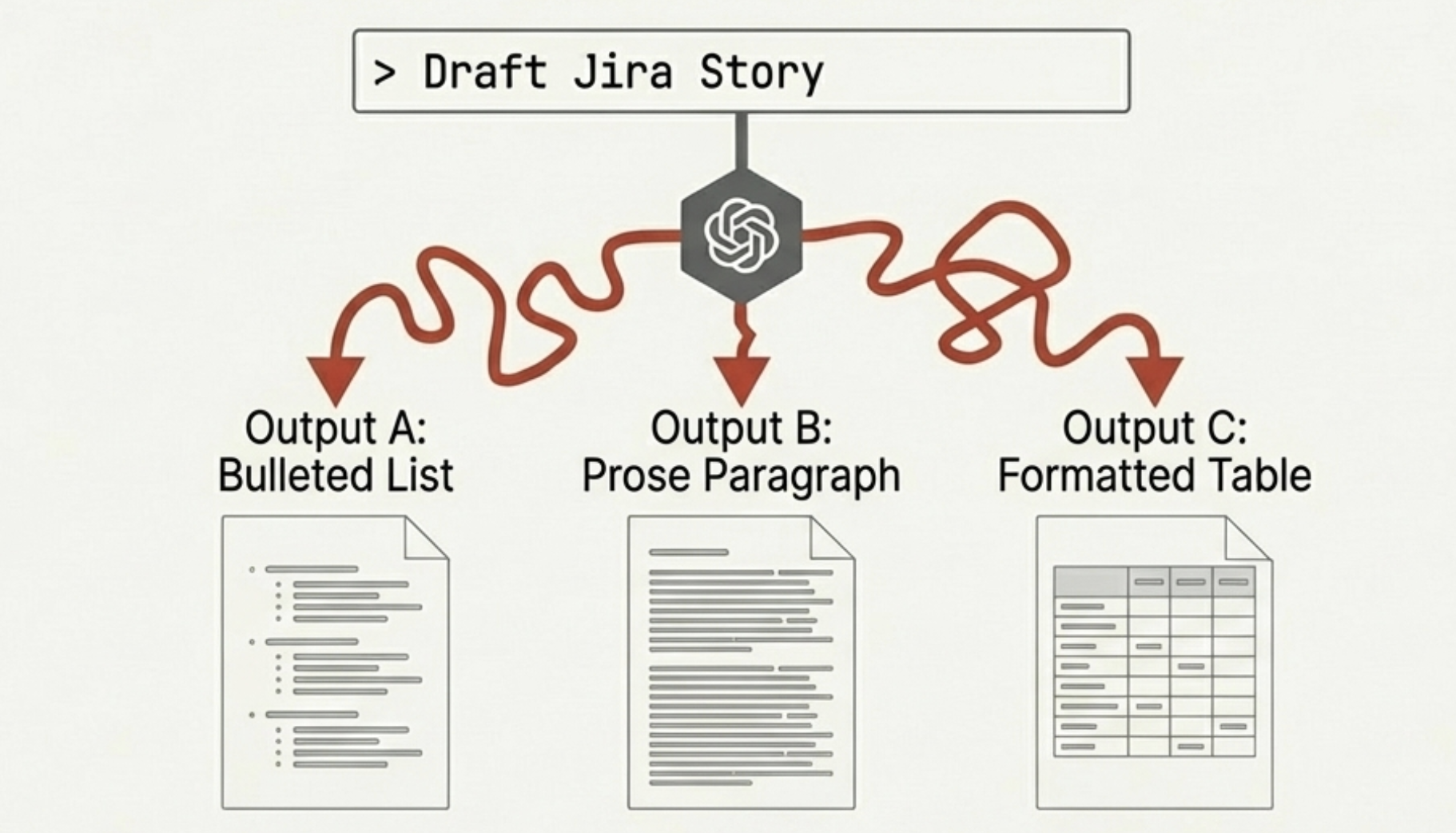
The inconsistency was the first crack. Every output had a different format. LLMs are stochastic — the same prompt on the same input produces different outputs, and when you are trying to build a team workflow around them, "different every time" is not a feature. It is a tax.
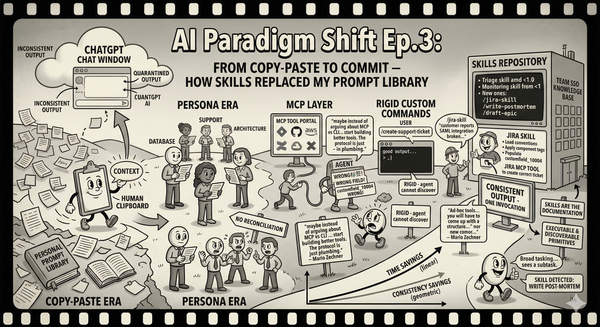
So I did what any engineer does: I wrote it down. A personal prompt library — text files organized by task. One for summarizing Zendesk tickets. One for drafting Jira stories. One for writing incident post-mortems. Each refined through trial and error. I was building a personal SDK for an API that did not exist yet, using copy-paste as the transport layer.
This worked. It also meant that every interaction followed the same ritual: find the right prompt, copy-paste the context in, copy-paste the output out, paste it into the actual tool, manually fix whatever the LLM got wrong. I was a human clipboard with opinions. The AI was powerful but quarantined — living in a browser tab, separated from every real tool by the membrane of my clipboard.
When AI Got a Name Tag
Then came the persona era. Gemini Gems, Claude Projects, ChatGPT custom GPTs. The pitch: instead of pasting a prompt every time, you build a persistent context. A persona. You describe the role, upload reference documents, set the tone.
I built several. A database migration persona that knew our schema conventions. A support case persona that knew our product tiers and failure modes. An architecture persona with our service map and API contracts. Consistency improved — the support persona always produced Jira stories with acceptance criteria because I told it to. The prompts were gone, replaced by something more durable. Progress.
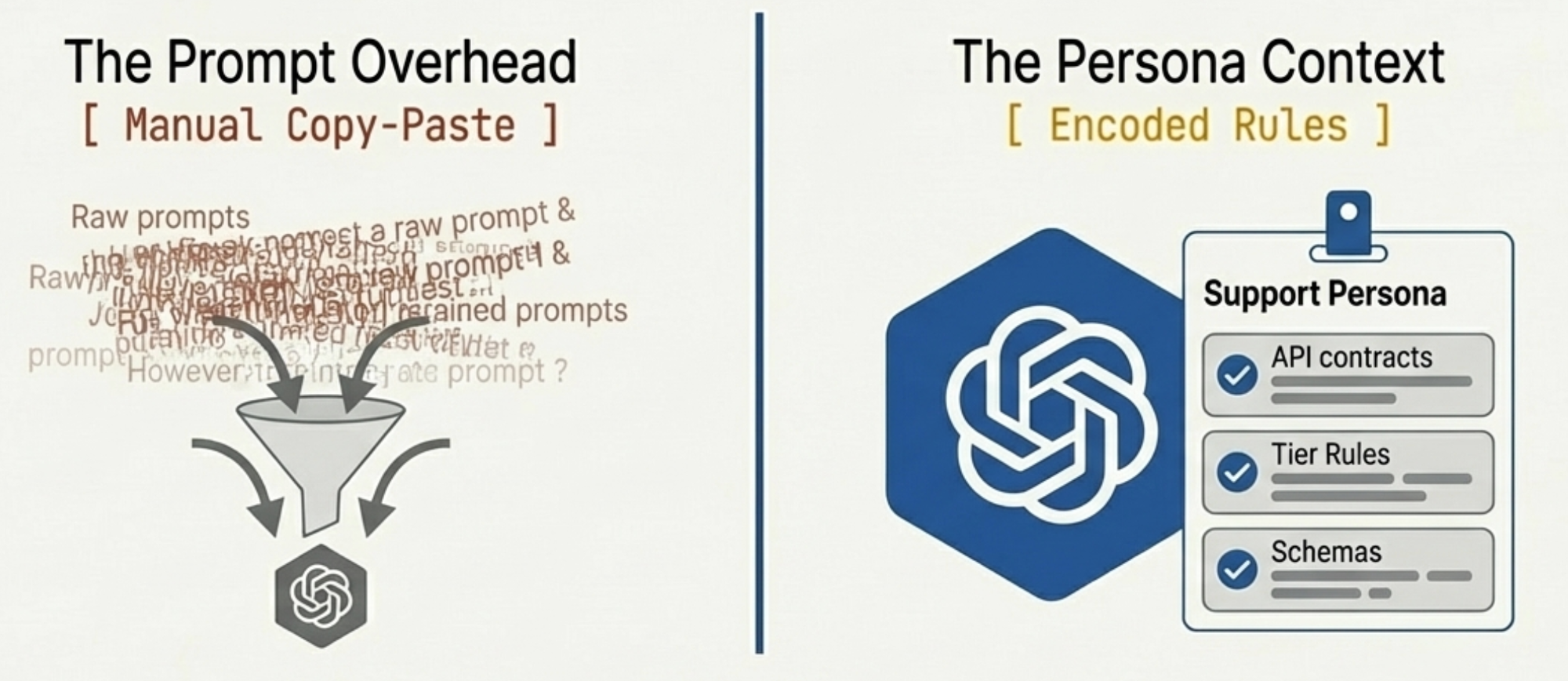
But the fundamental topology had not changed. I was still the transport layer. Copy the Zendesk ticket into the support persona, read the output, copy it into Jira. The AI was smarter and more consistent, but it was still in a chat window, and I was still moving data between the chat window and reality.
I shared my personas with my team via links. They used them. They also modified them slightly for their own preferences, and now we had three divergent copies with no way to reconcile them. We were sharing knowledge the way people shared Word documents in 2004 — by emailing copies and hoping nobody made a conflicting edit.
The Tool Layer Arrives, and Immediately Reveals the Real Problem
MCP changed the game. Model Context Protocol gave AI a standardized way to talk to actual tools — not through my clipboard, but directly. Jira, Confluence, GitHub, AWS, databases. The quarantine was lifted.
I moved from chat clients to Cursor and Claude Code. Instead of copying a support case into a chat window, I could say "read this Zendesk ticket and create a Jira story" and the agent would read the ticket, create the story through the Jira MCP tool, and populate the fields directly. No clipboard. No copy-paste.
For about two weeks, I thought this was the endgame. Then the format problem resurfaced, wearing a different hat.
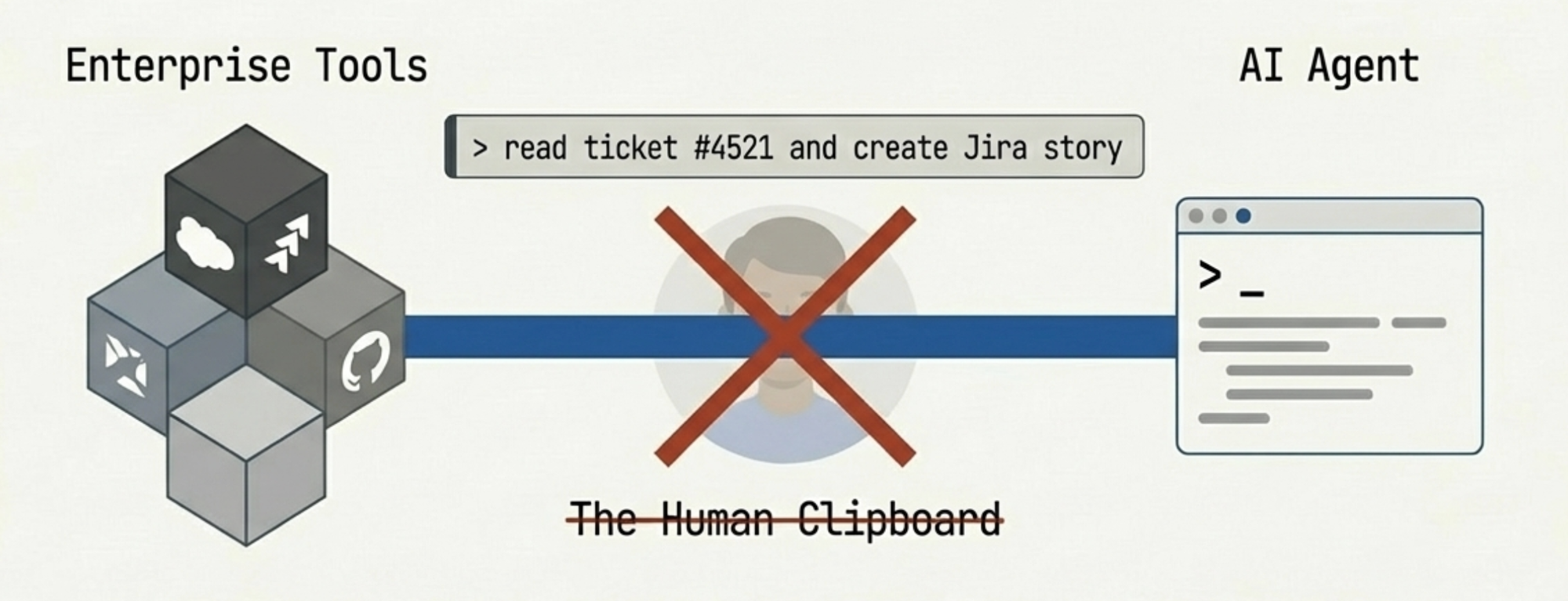
MCP gives AI access to tools. It does not give AI access to your team's conventions for using those tools. Our team uses specific component tags for SSO subsystems. We have naming conventions for stories that originate from support cases versus internal planning. The story point field is customfield_10004, not the more intuitive field name that every LLM guesses first.
The agent could create Jira tickets. It created them wrong. Wrong component. Wrong label format. Story points in the wrong field. Every correction was a prompt typed into the conversation that would be forgotten by the next session. I was back to remembering prompts — not because the AI lacked capability, but because it lacked my team's context.
Mario Zechner put it well: "Maybe instead of arguing about MCP vs CLI, we should start building better tools. The protocol is just plumbing." He is right. His benchmarks show that MCP and plain CLI tools perform identically when well-designed — a 225-token CLI wrapper with a good README outperforms an 18,000-token MCP server with poor documentation. The problem was never the protocol. It was how teams encode their conventions into the tools they give their agents. MCP is the tool vendor's interface. It exposes what Jira can do. It says nothing about what Jira should do for a three-person SSO team at Ubiquiti that uses specific component tags and a specific story format. That gap — between capability and convention — is where all the friction lives.
From Shortcuts to Something That Commits
Custom commands were the first attempt to close the gap. Slash commands in Claude Code: you write a long prompt in a file, give it a name, and invoke it with /my-command. The prompt loads, the agent follows the instructions, and you get consistent output without re-typing your conventions every session.
I built a bunch. /create-support-ticket contained all our Jira conventions. /write-postmortem had our incident report structure. /draft-epic knew how we decompose features into stories. Better. But rigid.
A custom command is a long prompt with a shortcut. It cannot reference external files dynamically. It cannot adapt based on input type. And critically, the agent cannot discover it on its own — you have to know the command exists and invoke it explicitly. If a teammate is triaging an incident and does not remember that /write-postmortem exists, they write the post-mortem from scratch. The knowledge is encoded but not discoverable.
Then skills arrived, and here I need to be honest about what they are and what they are not.
A skill, in Claude Code, is a bundle of instructions, references, and sub-commands that an agent can discover and execute. When the agent sees a task that matches a skill's description, it can load it without the user explicitly invoking it. The skill can reference external files — our Jira component mapping, our incident severity rubric — and it can call MCP tools, so the chain completes: the skill encodes our team's conventions, and the MCP tools execute them against real systems.
My workflow became: /jira-skill "customer reports SAML integration broken, see Zendesk #4521". The skill detects a support-originated ticket, loads the convention reference, applies the right component tags and label format, populates customfield_10004, and calls the Jira MCP tool. One invocation, correct output, no corrections.
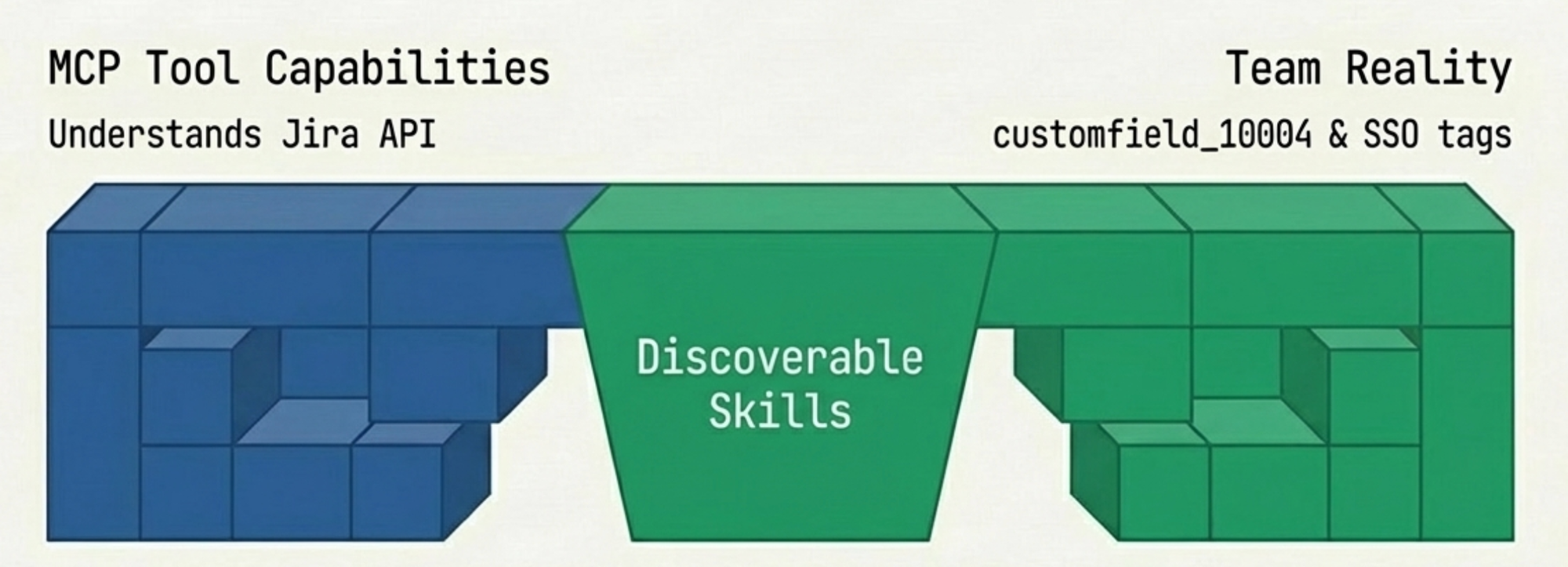
But the real value is what happens when the agent is working autonomously on a larger task and encounters a subtask a skill can handle. It finds the skill, loads it, uses it. The conventions are applied without me being in the loop. The team's knowledge is not just encoded; it is available to the agent as a composable primitive.
Skills started as agent-specific, but the ecosystem is converging. Projects like Vercel's skills CLI already distribute the same skill definition across forty-plus agents, from Claude Code to Cursor to Gemini CLI. The basic format — a Markdown file with a name, a description, and instructions — is becoming a shared primitive. Advanced features still vary by agent, but the core pattern is portable, and getting more so.
The Commit That Changed Everything
Here is where the story loops back to the first two episodes.
The monitoring skill from Episode 1 and the triage agent from Episode 2 are not special because they use AI. They are special because they are committed to the repository. They live in version control. They evolve through pull requests. They are reviewable, diffable, and executable.
Previously, sharing AI context meant sending a link to a Gem or a Project. Now it means committing a skill to the repo. A new engineer can read the skill and understand how the team handles support cases, or just run it and get the right behavior out of the box.
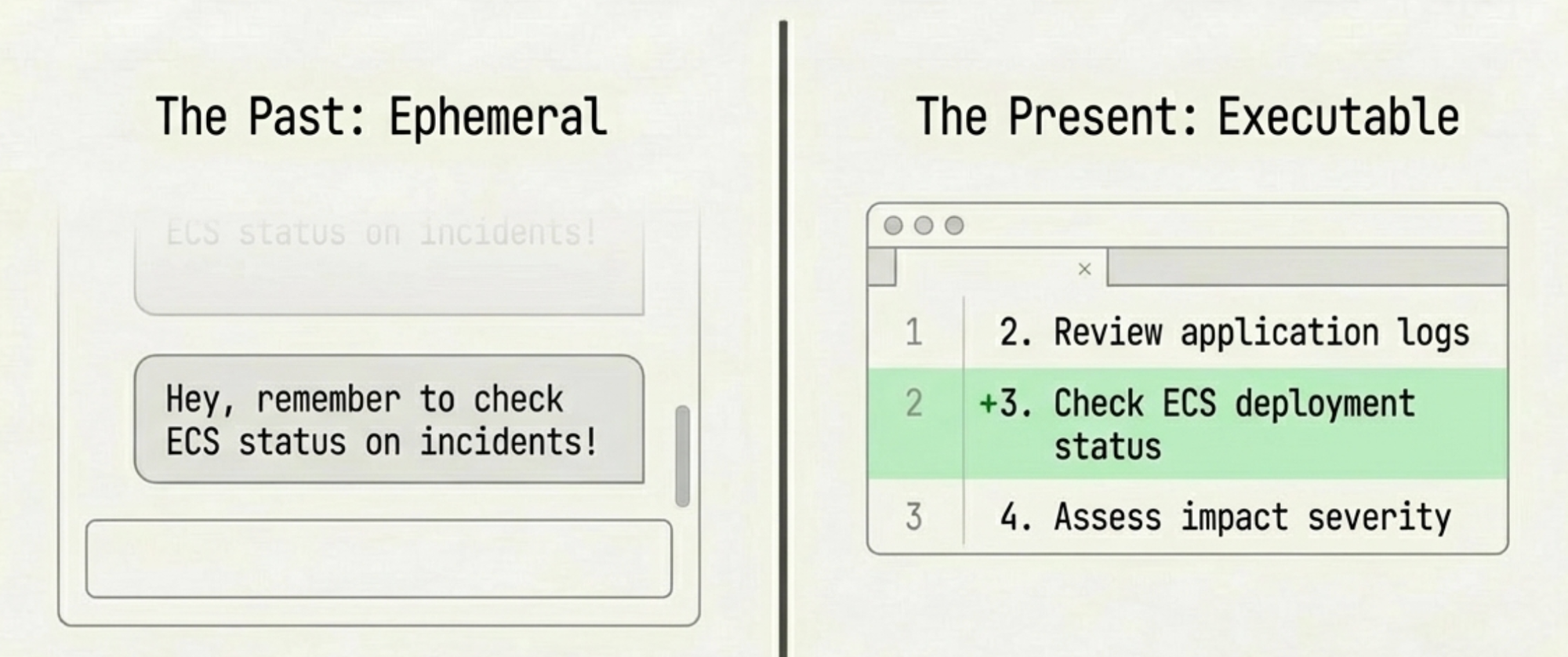
When a teammate found the ECS deployment gap in our triage skill — Episode 2 — we did not update a wiki page or send a Slack message that would scroll off screen in two days. We updated the skill and committed the change. The diff tells the story: "Added ECS deployment status check as first investigation step after Incident #5 revealed deployment changes are the most common root cause." Operational knowledge, version-controlled, reviewable, and immediately executable.
Zechner notes that with ad-hoc tools, "you will have to come up with a structure for how you build and maintain those tools yourself." For a solo developer, that freedom is an asset. For a team, it is a liability. Three people maintaining ad-hoc tools without shared conventions will diverge in exactly the same way our personas diverged back in the chat era. Version-controlled skills in a shared repo are the forcing function that keeps us aligned.
The shift, compressed: copy-paste, then personas, then MCP, then skills. Each step collapsed a layer of friction between intent and action. Copy-paste separates them by a human clipboard. Personas reduce the prompt overhead but keep the human as transport. MCP removes the transport but not the conventions. Skills encode the conventions and make them discoverable.
The Interface Was the Bottleneck
I spent the last two years assuming that the limiting factor was model intelligence. Better models would produce better output. That is true, narrowly. But the improvements that actually changed my daily work were not about intelligence. They were about interface.
The jump from copy-paste to personas saved me five minutes per task. The jump from personas to MCP saved me ten. The jump from MCP to skills did not save me time at all — it saved me consistency, which is the thing that actually matters when three people are trying to operate a production system using the same conventions. Time savings compound linearly. Consistency savings compound geometrically, because every inconsistency creates downstream corrections.
My prompt library is gone. Not deleted — abandoned. A fossil record of the copy-paste era. The knowledge it contained has migrated into skills committed to the repository, discoverable by agents, and improving with every incident and sprint. The whole team uses the same skills, and when one of us teaches a skill something new, all of us benefit on the next run.
The paradigm shift in this series is not "AI can do things." The shift is that the interface between human intent and machine action collapsed from a multi-step, lossy, manual process into something that looks like a function call and feels like talking to a teammate who has read all the documentation you never wrote.
I never wrote that documentation because I never had time. Now I do not have to. The skills are the documentation. They just happen to also execute.